דפי עזרה מקוצרים לפקודות
בלינוקס וביוניקס מידע ותיעוד על כלי ופקודות ניתן לקבל באמצעות הפקודה man.
למשל מידע על פקודת ls:
man ls
יפתח מאמר ארוך ומפורט לקריאה. האם יש דרך לקבל מידע בסגנון של "אמ;לק" (ארוך מידי, לא קראתי)?
דפי עזרה מקוצרים
ישנו פרויקט קהילתי שנקרא tldr pages שמטרתו לספק מידע מתומצת ועם מספר דוגמאות לפקודות.
דפי העזרה האורגינלים
ניקח לדוגמה את הפקודה git אם נרצה תוך כדי עבודה לקבל דוגמאות ומידע על פקודות עם man - זה לא יהיה כל כך יעיל לאותו רגע. להלן כיצד נראים דפי man על git:
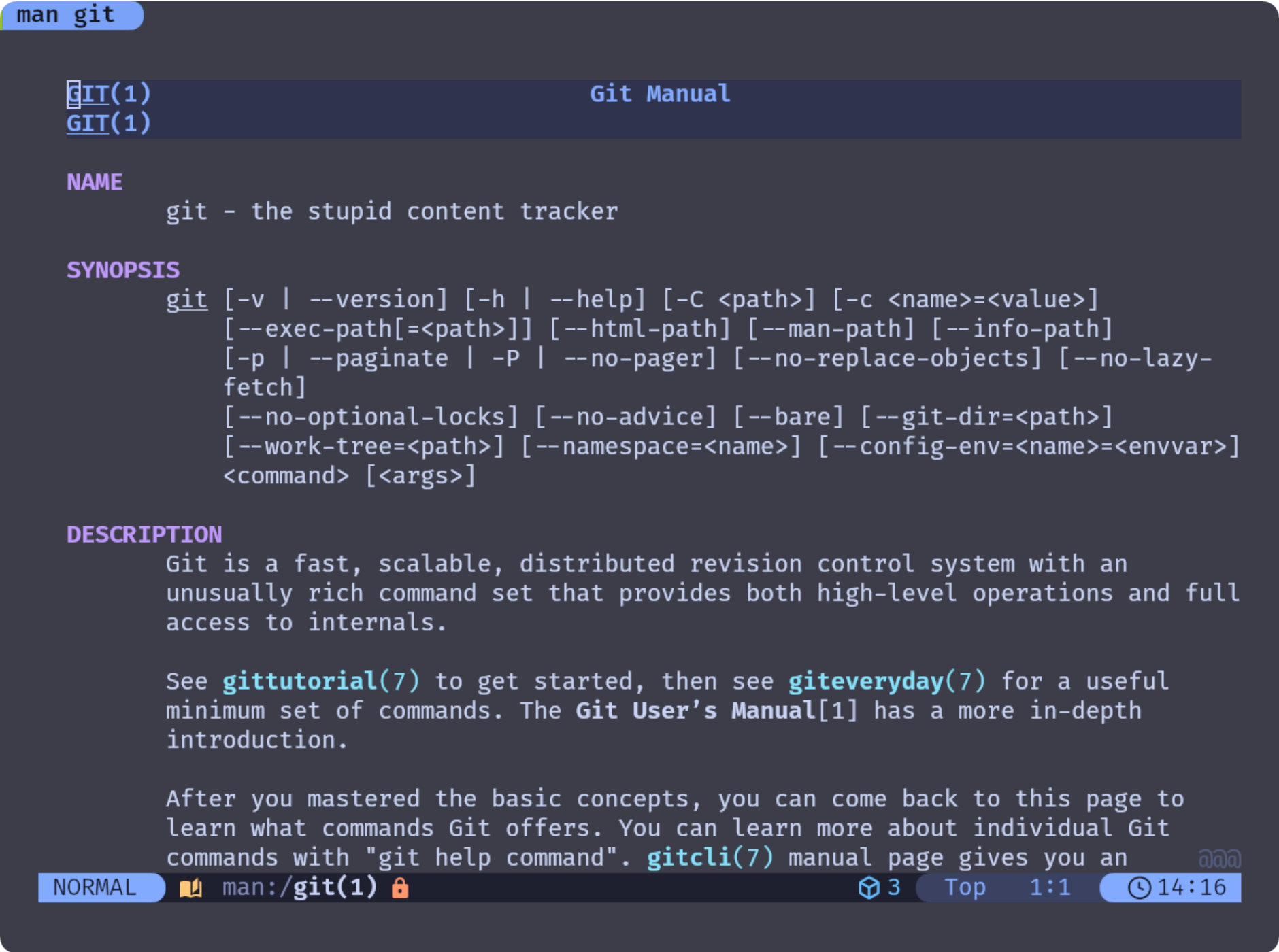
הגם שיש לי הגדרות שנותנות צבע ותחושה טובה יותר מהצגה בשחור לבן, אבל זה ארוך.. על זה נאמר: אמ;לק.
דפי tldr
זה כבר סיפור אחר. לא צריך הרבה הסברים כמאמר שני תמונות שוות כמאמר ארוך:
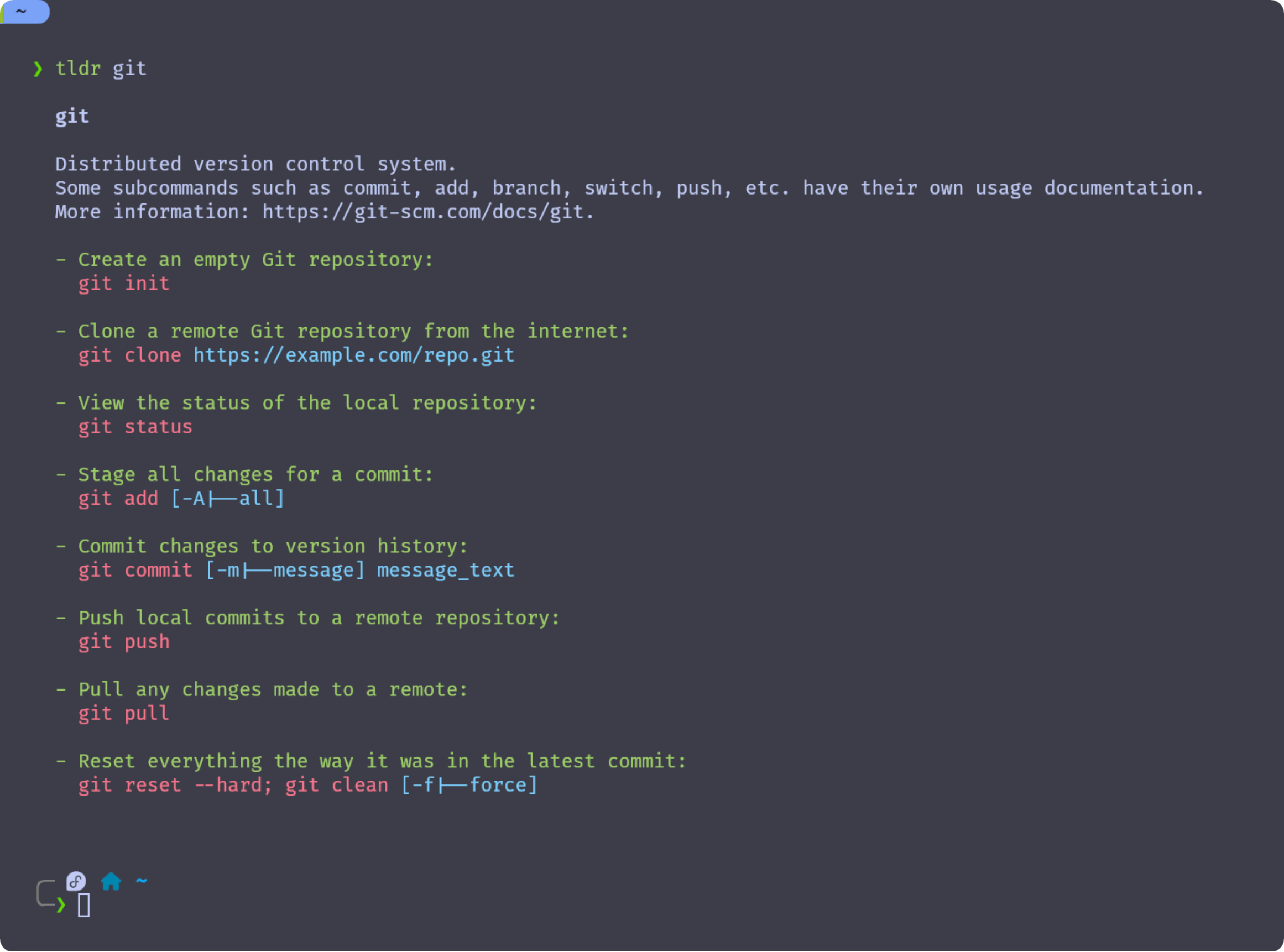
למעשה, כיצד מקבלים את זה
ההתקנה המומלצת והמועדפת עליי (מכיוון שיש בה יותר פיצ'רים) היא עם npm:
sudo npm install -g tldr
עם בכל זאת אתם רוצים, יש את הכלי גם במאגרים הרשמיים של פדורה:
sudo dnf install tldr
וגם במאגרי חבילות של הפצות שונות כגון דביאן או ארצ' לינוקס.
קינפוג (פשוט)
כדי לקבל את המידע שהוא לא "אמ:לק" עבור tldr נעשה את הפשוט מאליו:
❯ tldr tldr

  tldr

  Display simple help pages for command-line tools from the tldr-pages project.
  Note: The --language and --list options are not required by the client specification, but most clients implement them.
  More information: https://github.com/tldr-pages/tldr/blob/main/CLIENT-SPECIFICATION.md#command-line-interface.

  - Print the tldr page for a specific command (hint: this is how you got here!):
    tldr command

  - Print the tldr page for a specific subcommand:
    tldr command subcommand

  - Print the tldr page for a command in the given language (if available, otherwise fall back to English):
    tldr [-L|--language] language_code command

  - Print the tldr page for a command from a specific platform:
    tldr [-p|--platform] android|common|freebsd|linux|osx|netbsd|openbsd|sunos|windows command

  - Update the local cache of tldr pages:
    tldr [-u|--update]

  - List all pages for the current platform and common:
    tldr [-l|--list]

  - List all available subcommand pages for a command:
    tldr [-l|--list] | grep command | column

  - Print the tldr page for a random command:
    tldr [-l|--list] | shuf [-n|--head-count] 1 | xargs tldr